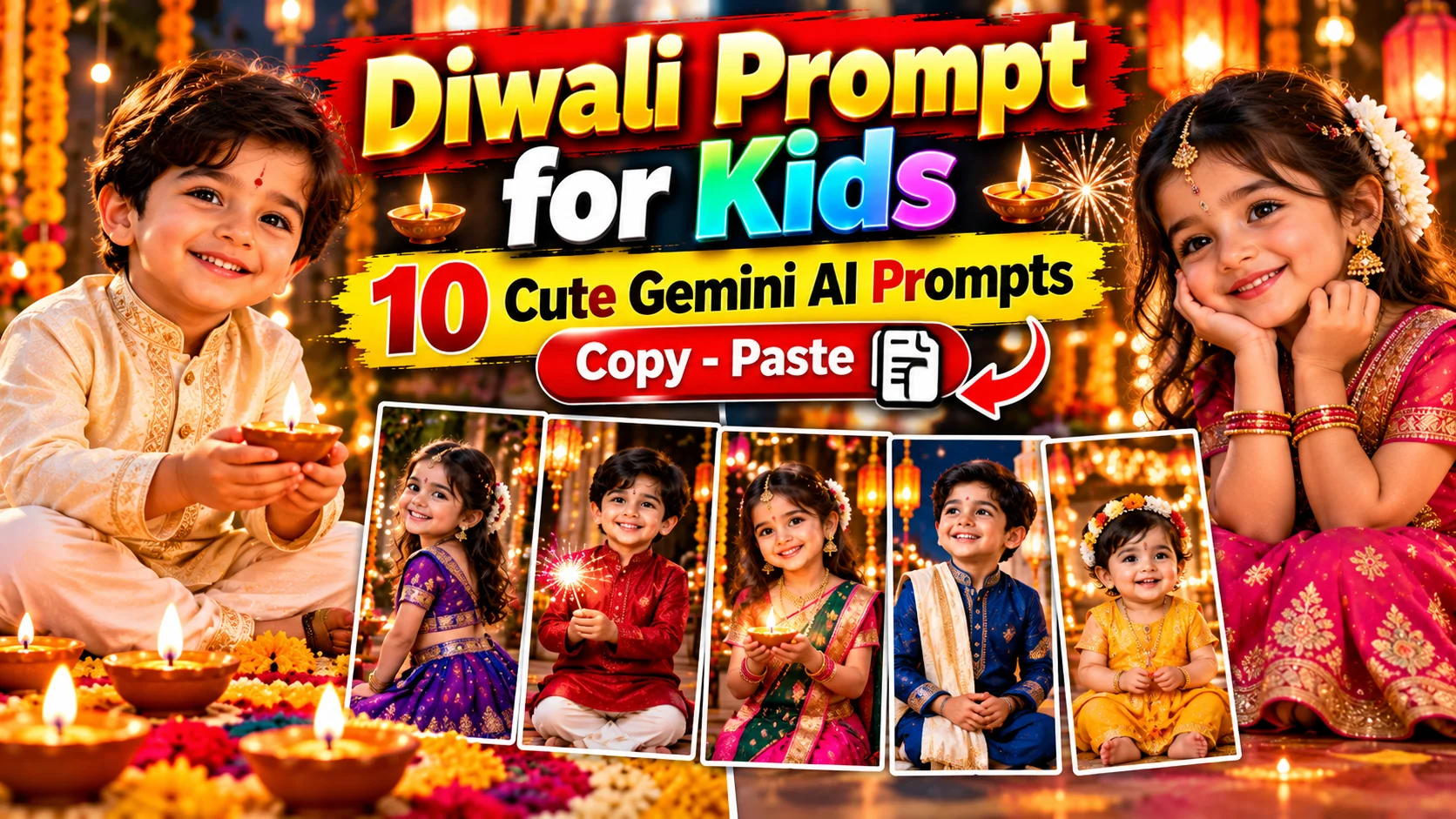

Diwali is one of the most joyful festivals in India. Children love wearing beautiful traditional clothes, lighting diyas with their families, enjoying sweets, and celebrating with colourful decorations. Many parents also love capturing special moments of their children during this festival.
Now, with the help of AI image editing tools, you can create beautiful festive portraits using simple text prompts. Gemini AI Diwali photo prompts for kids can help you explore cute traditional outfits, colourful backgrounds, festive decorations, and professional-style portraits.
In this article, you will find 10 cute Diwali AI photo editing prompts for kids. Each prompt includes a 9:16 vertical aspect ratio, making it suitable for WhatsApp Status, Instagram Stories, and other vertical social media content.
You can try these prompts with Gemini or another compatible AI image generator that supports photo uploads and image editing.
10 Best Gemini AI Diwali Photo Prompts for Kids
Below are 10 creative prompts for festive children’s portraits. Copy your favourite prompt and customize the outfit colours or background according to your preferences.
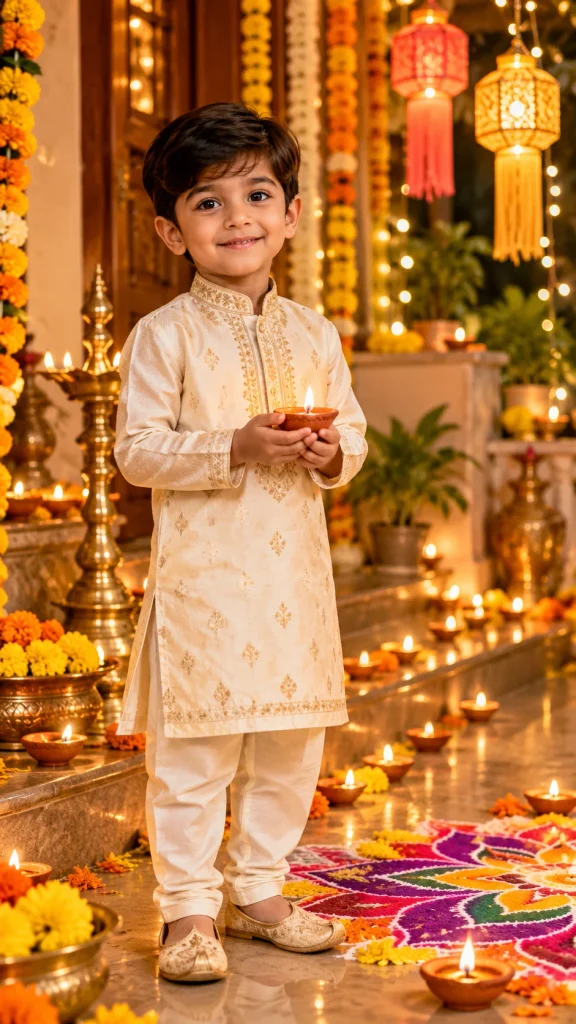
1. Cute Traditional Kurta Diwali Prompt for Kids
This prompt is perfect for creating a cute and traditional portrait of a young boy celebrating Diwali in an Indian outfit.
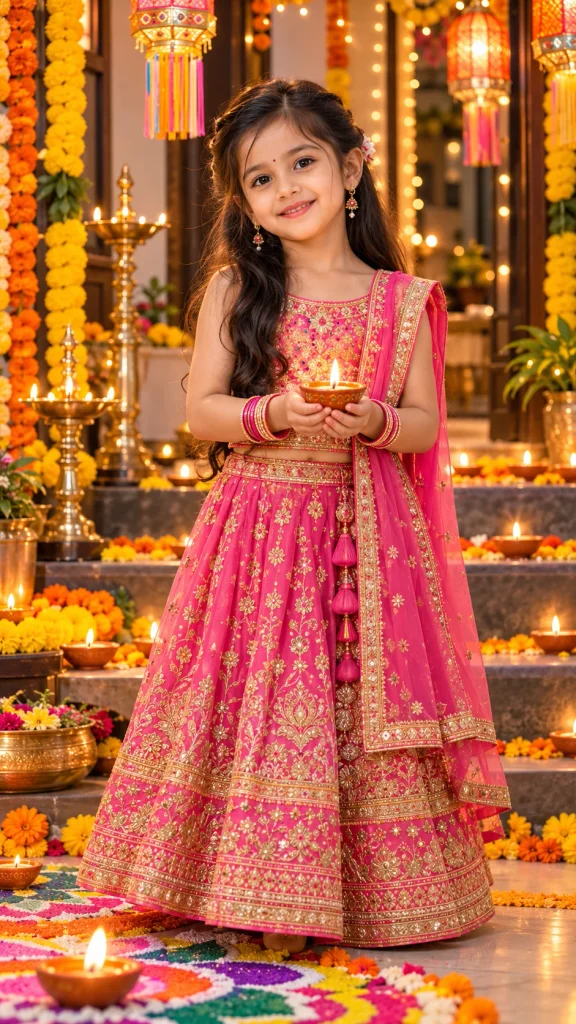
2. Cute Girl in a Traditional Lehenga Prompt
A colourful lehenga can create a beautiful festive look for a young girl. This prompt focuses on traditional Indian clothing and warm Diwali decorations.
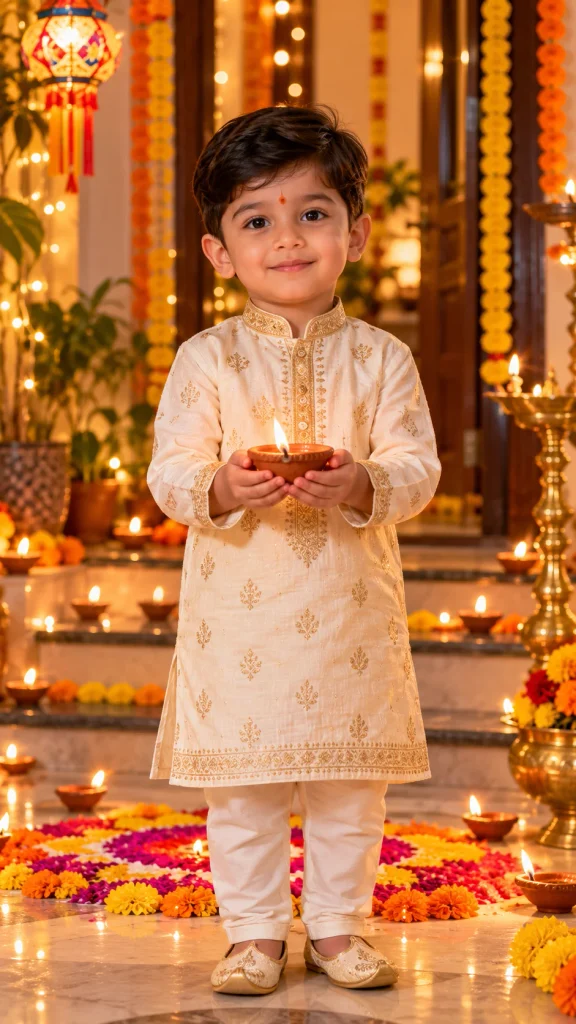
3. Kids Holding a Glowing Diya Prompt
A photograph featuring a child holding a diya can capture the warmth and happiness of Diwali. This prompt creates a festive portrait with soft lighting.
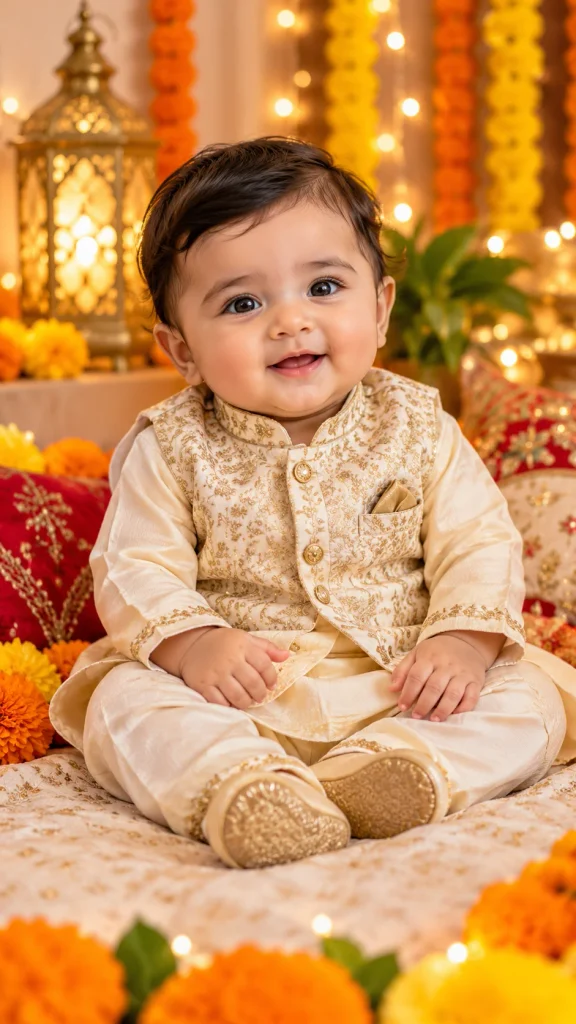
4. Baby’s First Diwali Photo Prompt
If you want to create a special portrait of a baby during their first Diwali, this prompt can help you explore a cute and festive style.
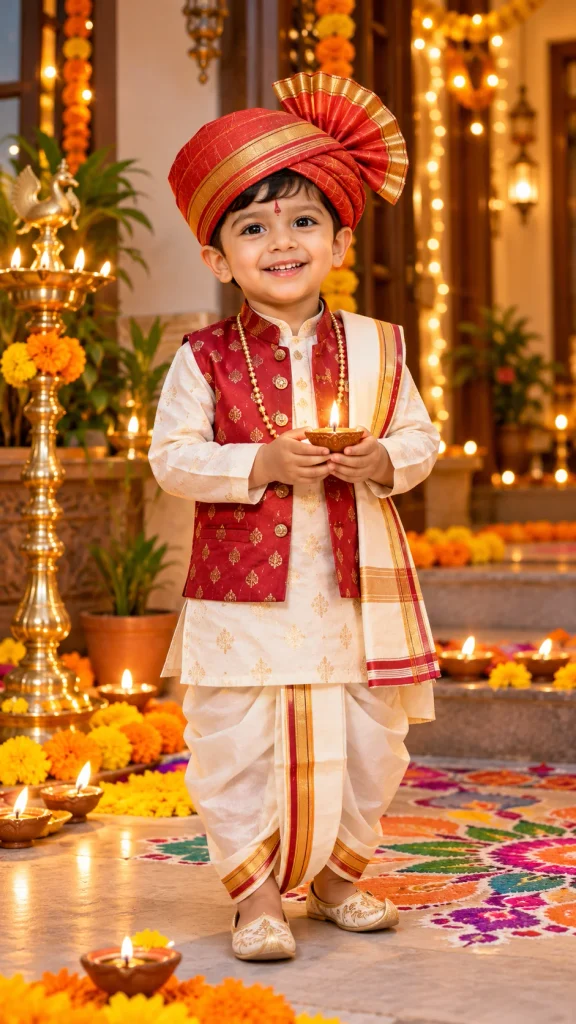
5. Maharashtrian Traditional Look for Kids
This prompt is ideal for families who want to create a portrait featuring Maharashtrian traditional clothing during Diwali.
6. Cute Kids in Matching Ethnic Outfits Prompt
Matching traditional outfits can create a lovely festive portrait of siblings. Use this prompt to create a coordinated family-friendly image.
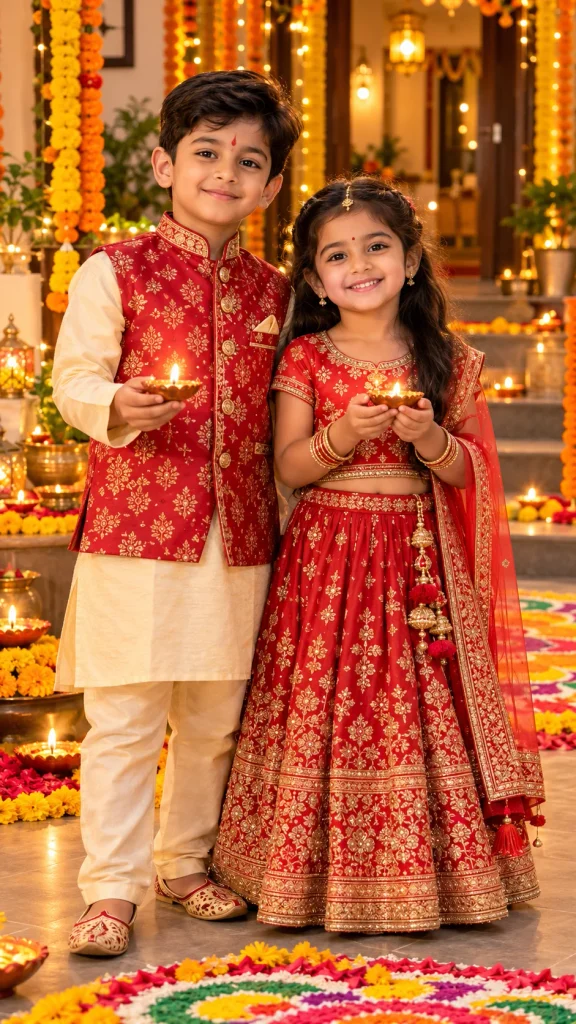
Create a charming, realistic Diwali portrait featuring the children in the uploaded reference photos. Preserve each child’s recognizable facial features, natural skin tone, hairstyle, and age-appropriate appearance. Dress the children in coordinated traditional Indian outfits in festive colours such as red, cream, and gold. Show them standing together with natural smiles in a beautifully decorated Indian home. Add colourful rangoli, marigold garlands, glowing decorative lights, and festive flowers in the background. Use soft golden lighting, realistic clothing textures, natural expressions, and professional family photography. Keep every child clearly recognizable. Vertical 9:16 aspect ratio.
7. Kids in a Colourful Diwali Rangoli Setting
Colourful rangoli and flowers can make a festive photograph more vibrant. This prompt is suitable for creating a traditional Indian celebration scene.
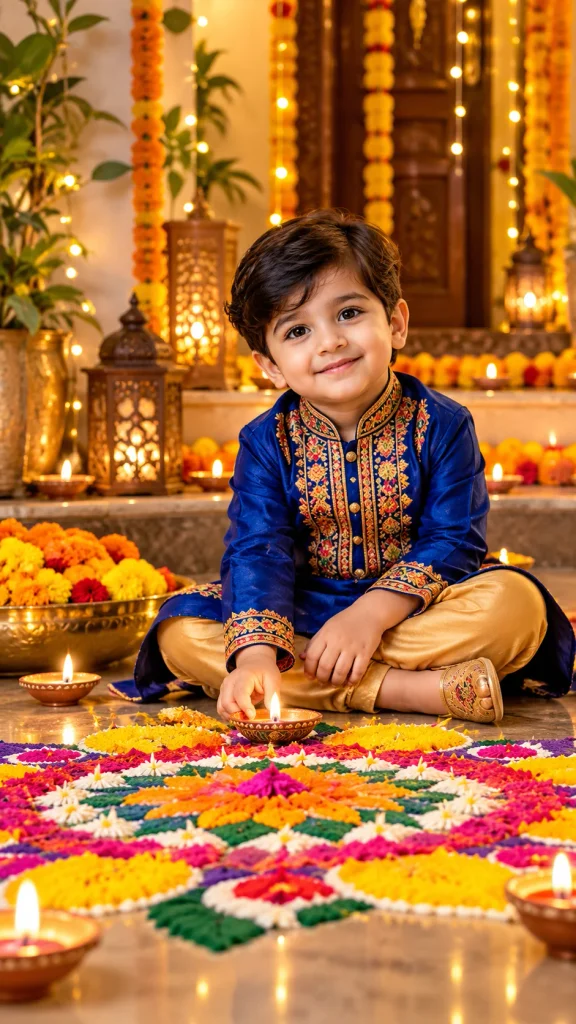
Create an adorable and realistic Diwali portrait using the uploaded child’s photo as the identity reference. Preserve the child’s facial features, natural skin tone, hairstyle, and innocent expression. Dress the child in a bright traditional Indian outfit with colourful embroidery. Show the child sitting comfortably beside a beautiful rangoli made with flower petals and coloured powder, with all decorative materials kept safely away from the child’s mouth and eyes. Add marigold flowers, warm fairy lights, and a decorated Indian home in the background. Use natural lighting, realistic textures, vibrant colours, and professional children’s photography. Vertical 9:16 aspect ratio.
8. Royal Festive Outfit for Kids
A royal-style traditional outfit can create an elegant portrait for a special Diwali greeting or family photo.
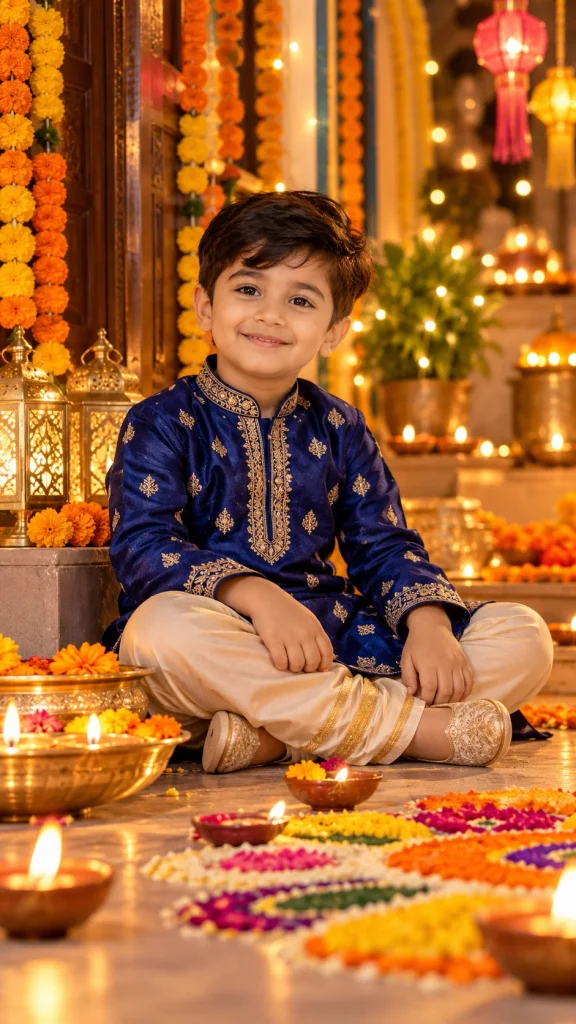
Create a premium traditional Diwali portrait using the uploaded child’s photo as the identity reference. Preserve the child’s recognizable face, natural skin tone, hairstyle, and age-appropriate appearance. Dress the child in an elegant royal blue or maroon kurta with tasteful golden embroidery and comfortable traditional footwear. Add a beautifully decorated Indian interior with warm golden lights, marigold garlands, and decorative lanterns. Use soft cinematic lighting, realistic fabric details, natural skin texture, and professional children’s fashion photography. Keep the styling elegant, comfortable, and appropriate for the child’s age. Vertical 9:16 aspect ratio.
9. Kids Wearing Traditional Festive Dresses Prompt
This prompt is suitable for creating a cheerful portrait with colourful clothes and a beautifully decorated Diwali background.
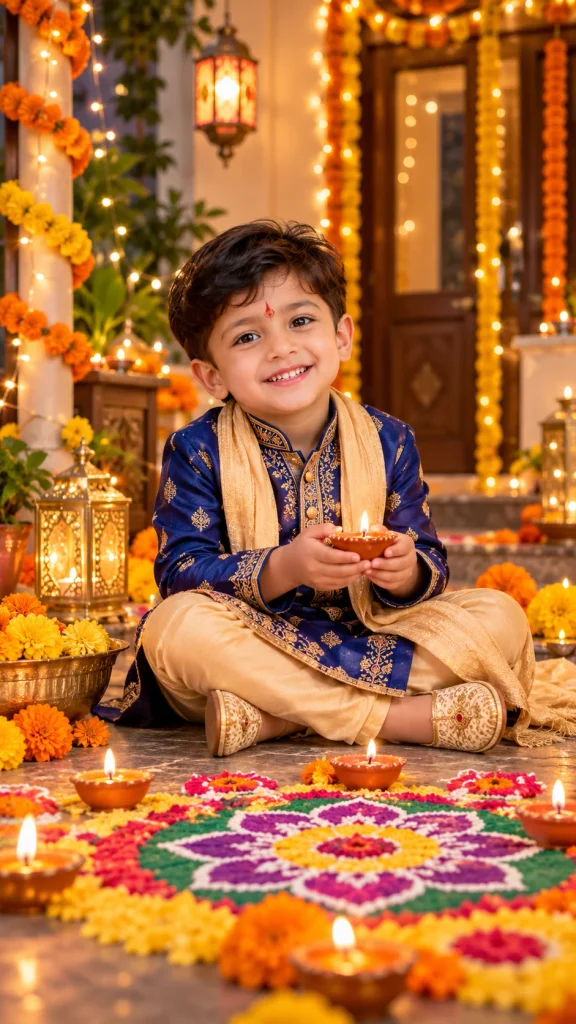
Transform the uploaded child’s photo into a beautiful, realistic Indian Diwali portrait. Preserve the child’s original facial features, skin tone, hairstyle, and natural smile. Dress the child in a festive traditional Indian outfit with colourful embroidery, matching accessories, and comfortable footwear. Place the child in a decorated courtyard featuring marigold garlands, decorative lanterns, glowing electric lights, and colourful rangoli. Use warm lighting, realistic shadows, detailed clothing textures, and natural colours. Create a joyful, family-friendly atmosphere without changing the child’s identity. Vertical 9:16 aspect ratio.
10. Instagram-Style Cute Diwali Portrait for Kids
This final prompt is designed for parents who want a polished festive portrait for social media or a digital Diwali greeting.
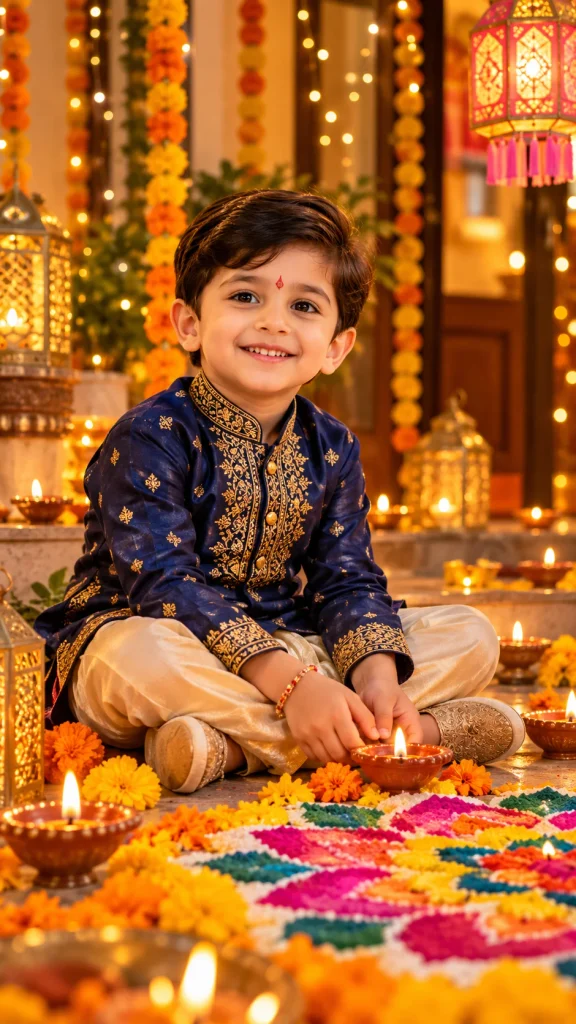
Create a stunning, ultra-realistic Diwali portrait using the uploaded child’s photo as the primary identity reference. Preserve the child’s recognizable facial features, natural skin tone, hairstyle, and cheerful expression. Dress the child in a beautiful traditional Indian outfit with delicate golden embroidery and age-appropriate accessories. Add glowing decorative lights, marigold garlands, colourful rangoli, and a warm festive Indian home background. Use professional portrait photography, soft cinematic lighting, realistic fabric textures, natural skin details, and a clean composition with the child as the main focus. Make the image suitable for a festive social media post. Vertical 9:16 aspect ratio.
How to Use Gemini AI Diwali Prompts for Kids
Follow these simple steps to create a festive portrait.
- Open Gemini or another compatible AI image editing tool.
- Upload a clear photograph of the child, with the parent’s or guardian’s permission.
- Select one of the 10 Diwali photo prompts from this article.
- Copy the complete prompt and paste it into the AI chat.
- Ask the tool to generate or edit the photograph.
- If necessary, change the outfit colour, background, or lighting.
- Review the final image before saving or sharing it.
The available image editing features may differ between AI tools. If the face, hands, or outfit do not look correct, try refining the prompt.
What Is a Diwali Prompt for Kids?
A Diwali prompt for kids is a text instruction used to guide an AI image generator when creating or editing a child’s photograph. You can describe the outfit, background, lighting, decorations, pose, and photography style you want.
For example, you can ask the AI to create a portrait of a child wearing a traditional Indian kurta while standing beside glowing diyas and colourful rangoli.
A detailed prompt helps communicate your creative idea clearly. However, results can vary depending on the AI tool and the quality of the uploaded photo.
Tips for Better Kids’ Diwali AI Photos
- Use a clear reference photo: Good lighting and a sharp image can help the AI understand the child’s appearance.
- Choose traditional Indian outfits: Kurta-pajamas, lehengas, and Maharashtrian festive clothing can create authentic cultural styles.
- Add Diwali decorations: Mention rangoli, marigold garlands, decorative lights, and festive flowers.
- Preserve natural facial features: Ask the AI to keep the child’s identity and natural skin texture recognizable.
- Use a 9:16 image format: This vertical format is useful for WhatsApp Status, Instagram Stories, and many short-form video covers.
- Keep children safe: Never place a child near open flames or dangerous fireworks for a photograph. AI-generated festive scenes can provide the appearance of glowing diyas without requiring children to handle real flames.
- Protect children’s privacy: Share photographs thoughtfully and avoid revealing personal information.
These 10 Gemini AI Diwali photo editing prompts for kids can help parents create cute, traditional, and festive portraits for the Diwali season. From colourful lehengas and traditional kurta-pajamas to Maharashtrian outfits and adorable first-Diwali portraits, there are many styles to explore.
Copy your favourite prompt, upload a suitable reference photograph, and customize the details to create a unique festive image in 9:16 vertical format.
These AI-generated portraits can be used for digital greetings, family memories, WhatsApp Status, and Instagram Stories. Results may vary depending on the AI tool, so review every image carefully before sharing it.